
Table of Contents
Most business owners don’t ask what graphic design for business actually involves until something goes wrong. A printer rejects a business card file because it’s the wrong color mode. A Facebook ad looks pixelated on someone’s phone. A freelancer quotes $2,000 for a logo the owner assumed would cost $50 on a template marketplace. By the time the question comes up, it’s not academic anymore — it’s already costing time, money, or a client’s first impression.
Graphic design for business is the practice of using layout, typography, color, and imagery to communicate something specific — not just “make it look nice.” A menu that’s easy to scan, a logo that reads clearly at thumbnail size, an ad that stops someone mid-scroll: all of that is graphic design doing its actual job, which is communication with a visual toolset.
The main types of graphic design for business (and which ones you actually need)
“Graphic design” is really an umbrella term covering several distinct disciplines. Knowing which one you need saves you from briefing the wrong specialist.
Brand and identity design
Logos, color palettes, typography systems, and the usage rules that hold them together. This is foundational work — it’s what everything else gets built on top of. If you don’t have this yet, start here before spending money on marketing materials that a rebrand will make obsolete.
Marketing and advertising design
Social ads, flyers, brochures, email banners, trade show banners. This work assumes a brand identity already exists and applies it consistently across campaigns. It’s usually the highest-volume design need for an active business.
Digital and product-adjacent design
Website graphics, app icons, digital ad creative, and the visual layer that sits on top of UI/UX design (a related but distinct discipline — more on that below). This overlaps with our web development work and is often briefed alongside it.
Print and packaging design
Product packaging, labels, signage, physical menus. This category has its own technical requirements — bleed, color profiles (CMYK vs. RGB), material constraints — that a purely digital designer may not be fluent in.
Editorial and publication design
Reports, ebooks, catalogs, magazines. Less common for small businesses day-to-day, but relevant if you produce long-form content like annual reports or lookbooks.
Do you need a designer, or can templates handle it?
This is the real question underneath what graphic design for business actually requires, and the honest answer is: it depends on what’s at stake.
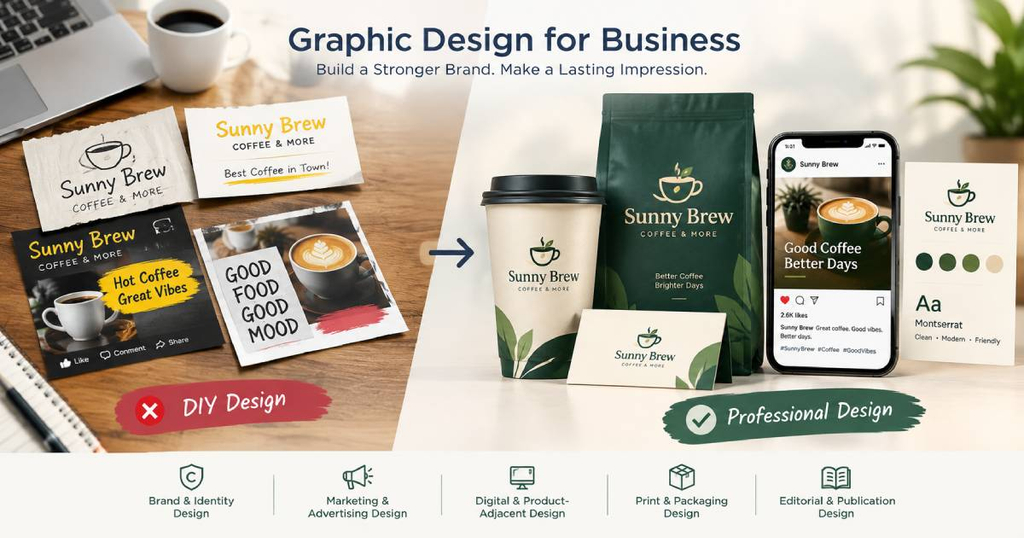
For graphic design for business, template tools (Canva and similar) are genuinely fine for low-stakes, internal, or one-off pieces — an internal slide deck, a quick social post, a flyer for a one-time event. Where they start to cost you is anywhere a design needs to be distinct from every other business using the same template, or needs to work correctly across many sizes and formats without someone manually rebuilding it each time.
A practical rule we use with clients: if the piece is customer-facing, will be reused repeatedly, or is meant to differentiate you from competitors, it’s worth commissioning custom design work. If it’s disposable or internal, a template is a reasonable choice.
What a professional designer actually does beyond “making it look nice”
A proper graphic design for business engagement typically includes:
- A discovery brief — understanding the audience, the goal of the piece, and any brand constraints already in place.
- Research and reference gathering — looking at competitors and comparable brands, not to copy them but to understand the visual landscape you’re competing in.
- Concept development — usually 2–3 distinct directions, not one option to accept or reject.
- Structured revision rounds — typically 2–3 rounds are included before additional rounds cost extra.
- Final file delivery — source files (editable, layered) plus export-ready files (PNG, PDF, SVG) sized for every context you’ll use them in.
If a quote you’re evaluating skips straight from “send me your logo idea” to a finished file with no concept stage, that’s a signal you’re getting a template dressed up as custom work, not a designed solution.
How to brief a designer so you actually get useful work back
The single biggest driver of wasted revision rounds in graphic design for business is a vague brief. Before you reach out to anyone, have answers ready for:
- Who is this for, specifically? (Not “everyone” — a real audience description.)
- What should someone do after seeing this?
- What’s non-negotiable (existing brand colors, a tagline that must appear, a size constraint)?
- What do you like and dislike, with actual examples — “like this, but not this” is more useful than adjectives like “modern” or “clean,” which mean something different to everyone.
A pattern worth knowing before you skip this step
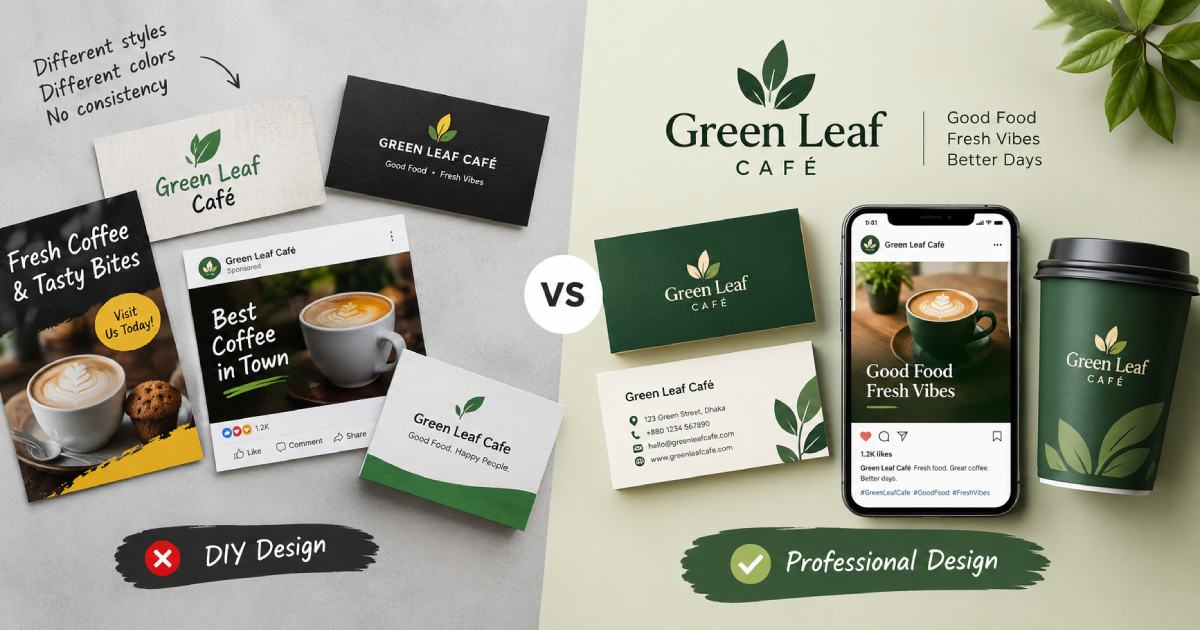
We’ve seen the same pattern repeat across small business clients: a business launches with mismatched design pulled together in-house — one font on the website, another on the storefront sign, a logo that doesn’t scale down cleanly for a Facebook profile photo. None of it looks obviously “wrong” in isolation. But taken together, it reads as unfinished, and customers register that even when they can’t articulate why. Fixing it after the fact (a full rebrand) typically costs more than getting the foundational identity right the first time would have.
Conclusion
Graphic design for business isn’t decoration — it’s the visual half of how your business communicates, and it ranges from a $0 template for a one-off flyer to a fully custom identity system built to last years. The right choice depends on what the piece needs to do and how long it needs to keep doing it. Once you know which category of design you actually need, you’re in a much better position to brief it correctly and evaluate whether a quote is fair — which is exactly what we cover next.
Frequently Asked Questions
Is graphic design the same thing as UI/UX design? No, though they overlap. Graphic design focuses on visual communication — how something looks and reads. UI/UX design focuses on how a digital product functions and how a user moves through it. A skilled UI designer often has graphic design training, but the disciplines have different core skills (interaction and usability vs. pure visual composition).
Can I do graphic design myself with free tools? For low-stakes, disposable, or internal materials, yes. For anything customer-facing and reused repeatedly — your logo, your core brand materials — a template built by thousands of other businesses works against the differentiation you’re trying to create.
How long does a typical graphic design project take? A single piece (one social ad, one flyer) can turn around in a few days. A full brand identity system typically takes 3–6 weeks once a brief is locked, mainly because it involves multiple structured revision rounds.
What files should I expect to receive when a project wraps up? At minimum: an editable source file (AI, PSD, or Figma file), plus export-ready formats (PNG, PDF, SVG) in the sizes you’ll actually use. If a designer won’t hand over source files, ask why before you sign — it affects your ability to update the work later without going back to that same designer.
What does graphic design for business typically cost? Pricing depends heavily on scope: a single social ad or flyer often runs well under $200, while a full brand identity system (logo, color system, typography, usage guidelines) is a bigger investment that pays off over years of reuse. The clearest way to get an accurate number is to contact us for a free quote based on your specific project.